Pay Bexar County Property Tax Online
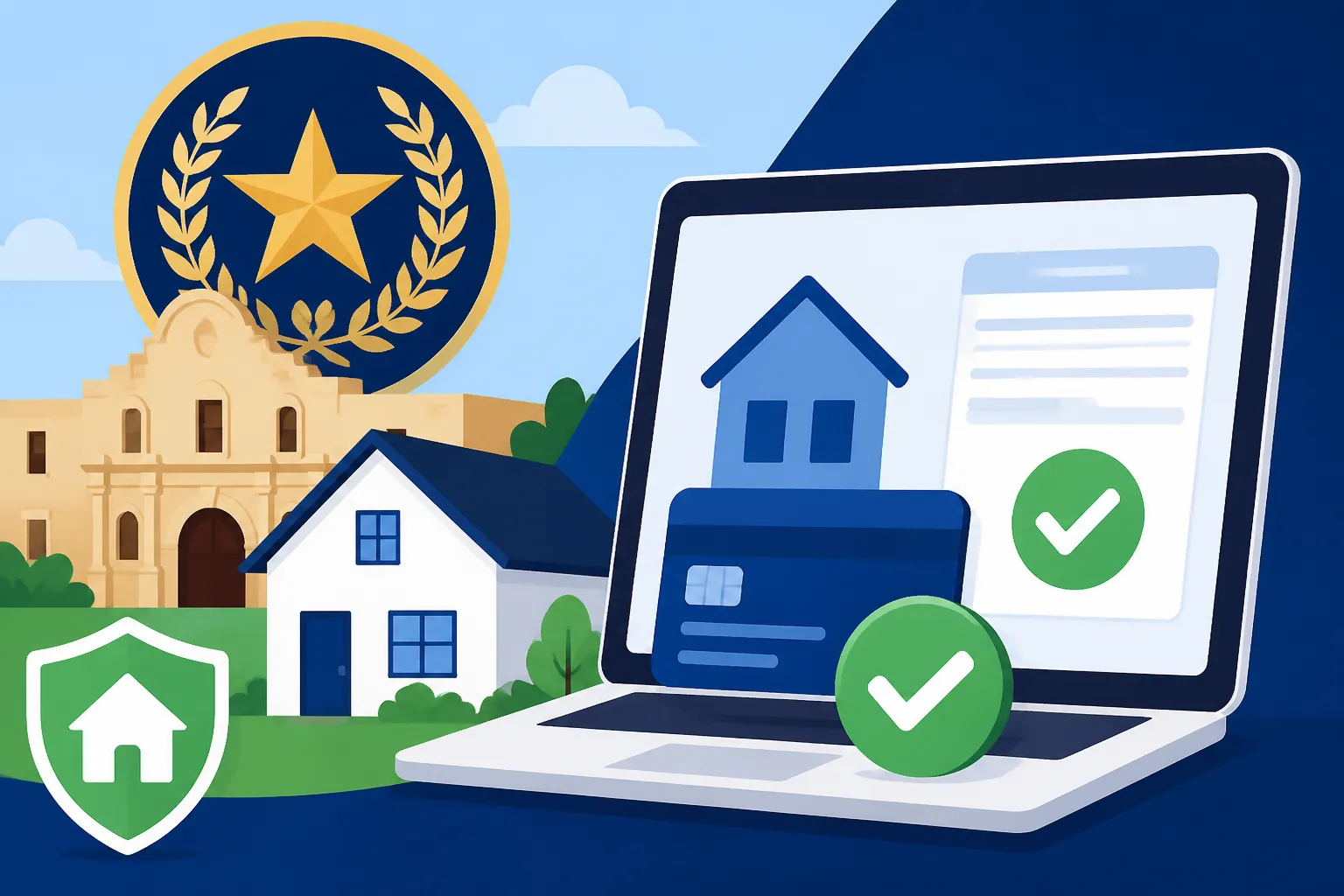
Dealing with property taxes can feel like navigating a maze, especially when deadlines loom and the thought of late penalties adds to the stress. For homeowners in Bexar County, Texas, understanding how to pay your property taxes efficiently is key to maintaining peace of mind and avoiding unnecessary fees. This guide will walk you through the specifics of paying your Bexar County property tax online, offering clear, step-by-step instructions and crucial insights to make the process as smooth as possible.
Navigating Bexar County's Online Property Tax Payment System
Paying property taxes online has become an increasingly popular and convenient method for many homeowners, and Bexar County offers a robust system to facilitate this. No more trips to the county office or scrambling for stamps! But like any online system, it can have its quirks if you're not sure where to start.
Understanding the Bexar Appraisal District Website (BCAD)
Before you even think about paying, it’s important to understand the role of the Bexar Appraisal District (BCAD). This isn't where you pay your taxes directly, but it's often your first stop for verifying information about your property's value and ensuring everything looks correct on your records. The BCAD website, located at bcad.org, is a treasure trove of information regarding your property's appraised value, exemptions applied, and other vital details. You’ll want to confirm your property details there first, especially if you're wondering, "Why Did My Property Taxes Go Up?" or checking for discrepancies. It's also where you can find your property ID number, which is essential for payment. Think of it as your primary source for understanding your tax liability before you head over to make the actual payment.
Once you’ve confirmed your property details, the actual payment will happen through the Bexar County Tax Assessor-Collector's website. It's a common point of confusion for folks: one site for appraisal, another for payment. Just remember, BCAD assesses, the Tax Assessor-Collector collects.
Step-by-Step Guide to Online Payment
Let's break down the process of actually paying your property tax online for your Bexar County home. It’s more straightforward than it might seem, but having a clear roadmap helps.
- Access the Official Payment Portal: Start by going to the official Bexar County Tax Assessor-Collector website. You can usually find this by searching "Bexar County Tax Assessor-Collector" or going directly to bbc.bexar.org (their Business and Property Tax portal). Always make sure you're on an official government website to protect your financial information.
- Locate Your Property: You'll need to search for your property. The most common way is to use your property ID number, which you can find on your tax bill or the BCAD website. You might also be able to search by owner name or property address. It’s crucial to double-check that you’ve selected the correct property to avoid any misapplied payments.
- Review Your Tax Bill Details: Once your property is located, the system will display your current tax bill, including the amount due, any outstanding balances, and applicable deadlines. Take a moment to review this carefully. This is also where you might see details about any applied exemptions, like the Homestead Exemption in Texas if you've already filed for it. If you have questions about how to read your property tax bill, this is a great time to cross-reference.
- Select Your Payment Method: The portal will offer various payment options (which we'll delve into shortly). Choose the one that best suits you, whether it's an eCheck, credit card, or debit card.
- Enter Payment Information: Input your financial details securely. Ensure all numbers are correct to prevent payment rejections.
- Confirm and Submit: Before clicking "submit," do one final review of the payment amount, property details, and your financial information. Once submitted, you should receive a confirmation number or email. This digital receipt is vital for your records.
This process, while requiring a few steps, is designed for convenience. It empowers you to handle this important financial obligation from the comfort of your home, at any time of day, provided you have an internet connection.
Identifying Your Property Information for Payment
One of the most common stumbling blocks people encounter when trying to pay their property taxes online is simply finding the correct property information. It sounds simple, right? But with various ID numbers, legal descriptions, and addresses floating around, it can get confusing.
Your property's unique identifier is usually called the Property ID Number or Account Number. This number is prominently displayed on your annual property tax statement, sometimes referred to as your "Notice of Appraised Value" or "Tax Bill." It's a specific numerical code that links your property directly to the tax records. If you've misplaced your physical bill, don't panic! You can typically find this number by visiting the Bexar Appraisal District (BCAD) website and searching for your property by address or your name. Many counties, including Bexar, also assign a Parcel ID number, but the Property ID/Account Number is usually what the payment portal needs.
Having this information ready before you log in will save you a lot of time and frustration. It's like having your car keys in hand before you head out the door – makes the whole trip much smoother. Keep a copy of your tax bill or a screenshot of your property details from the BCAD website handy when you're ready to make the payment.
Accepted Payment Methods and Associated Fees
One of the big advantages of paying property taxes online in Bexar County is the flexibility in payment methods. However, it’s crucial to understand that not all methods are created equal, especially when it comes to fees. Nobody wants an unexpected charge tacked onto their already substantial tax bill!
Electronic Checks (eChecks) and ACH Payments
For many, the most cost-effective way to pay your property taxes online in Bexar County is through an eCheck or ACH (Automated Clearing House) payment. This method directly debits the funds from your bank account, similar to writing a paper check, but it's done electronically.
The good news is that eCheck payments typically come with no additional processing fee when made through the official Bexar County Tax Assessor-Collector's website. This makes them a fantastic option for those who want to avoid extra charges. You'll need your bank's routing number and your checking account number to complete this transaction. Just be sure you have sufficient funds in your account to cover the payment, as returned eChecks can incur penalties from both your bank and the county. While processing times can vary slightly, eChecks are generally processed quickly, usually within a few business days.
Credit and Debit Card Options
Paying with a credit or debit card offers instant confirmation and the potential to earn rewards points, which can be appealing to some. However, this convenience often comes at a cost. When you pay your Bexar County property taxes with a credit or debit card online, you will almost certainly be charged a convenience fee by the third-party payment processor. This isn't a fee imposed by Bexar County itself, but rather by the company that handles the card transaction.
These fees are typically a percentage of your total tax bill, often ranging from 2% to 3%. For a large property tax bill, this can add up to a significant amount. For example, if your bill is $5,000 and the fee is 2.5%, you'd pay an extra $125. Before you choose this option, the website will usually clearly display the exact fee, allowing you to decide if the convenience or rewards outweigh the cost.
Many people consider budgeting tools like those offered by Stessa, especially if they manage rental properties, to track these types of fees and ensure they're accounted for in their financial planning. It's always a good idea to weigh the pros and cons before opting for a card payment.
Other Digital Payment Alternatives
While eChecks and credit/debit cards are the most common online payment methods, some jurisdictions are starting to offer other digital alternatives. In Bexar County, the primary methods remain eChecks and card payments. However, you might find options for wire transfers for very large commercial property tax payments or other specific scenarios, though these are less common for residential homeowners.
Occasionally, third-party services might advertise ways to pay your property taxes, sometimes even offering property tax loans. While these can seem helpful in a pinch, they often come with their own set of fees and interest rates that can far exceed the convenience fees of card payments. It's generally best to stick to the official county payment portal and the methods they directly offer. If you're struggling to meet your property tax obligation, exploring options like Property Tax Installment & Deferral Plans directly with the county is usually a much better first step than turning to high-interest third-party lenders.
Here's a quick summary of the common online payment methods for Bexar County property taxes:
| Payment Method | Cost (Approximate) | Processing Time (Approximate) | Key Consideration |
|---|---|---|---|
| eCheck/ACH | Typically Free | 1-3 Business Days | Requires bank routing & account numbers; sufficient funds |
| Credit/Debit Card | 2-3% convenience fee | Instant (payment posted) | Fee can be significant; check card rewards |
Important Considerations for Online Property Tax Payments in Bexar County
Paying online is convenient, but it’s not just about clicking a button. There are some really important details you need to be aware of to ensure your payment goes through correctly and on time, safeguarding you from unexpected headaches down the road.
Payment Deadlines and Penalties
This is perhaps the most critical piece of information for any property owner: when is your payment actually due? In Texas, including Bexar County, property taxes are typically due on January 31st of the year following the tax year. So, taxes for 2025 would be due by January 31st, 2026. However, bills are usually mailed out in October or November, giving you a good window to pay.
Missing this deadline can lead to significant penalties and interest. Texas law dictates a penalty of 6% if taxes are paid in February, increasing by 1% each month thereafter, up to a maximum of 12% in July. On top of that, interest accrues at 1% per month. So, if your tax bill is $4,000, waiting until March could mean an extra 8% ($320) plus 2% interest ($80) – suddenly, your bill is $4,400! It truly pays to be on time. You can learn more about general Property Tax Due Dates by State to see how Bexar County compares. If you're ever in a situation where you can't pay, proactively contacting the Tax Assessor-Collector's office before the deadline is always your best bet.
Confirming Your Payment and Record Keeping
Once you've clicked that "submit" button online, don't just close your browser and forget about it. Confirmation is key! Always, always look for a confirmation page or an email confirmation. This will usually contain a transaction ID or confirmation number.
What to do with it:
- Save it: Print the confirmation page, save it as a PDF, or take a screenshot.
- Check your email: Make sure the confirmation email actually arrives in your inbox. If not, check your spam folder.
- Verify your bank statement: A few days after payment, check your bank or credit card statement to ensure the payment successfully debited or posted.
This digital paper trail is your proof of payment. In the rare event of a system glitch or a dispute, having this record can save you immense stress and potential penalties. Consider keeping a dedicated digital folder on your computer or cloud storage for all your property tax documents. For managing your overall finances, particularly for property owners, tools like those offered by LendingTree or Stessa can help you track these payments and maintain clear financial records throughout the year.
Exploring Payment Assistance and Deferral Options
Life happens, and sometimes, even with the best intentions, paying a large property tax bill on time can be a challenge. Bexar County, like many jurisdictions in Texas, understands this and offers programs designed to help.
- Installment Plans: Certain homeowners, particularly those who are elderly (65 or older), disabled, or whose property was damaged in a declared disaster, may qualify to pay their property taxes in quarterly installments. This can significantly ease the financial burden by spreading the payment over the year rather than a single lump sum.
- Property Tax Deferrals: For those who are elderly or disabled, Texas law allows you to defer the payment of your property taxes until ownership of the property changes or the individual no longer qualifies. While this can provide immediate relief, it's important to understand that interest still accrues on the deferred amount (though at a lower rate of 5% per year) and the taxes eventually become due. This is a serious decision that needs careful consideration.
- Exemptions: While not a payment assistance method for a current bill, exemptions are a proactive way to lower your tax burden. Make sure you've applied for any exemptions you qualify for, such as the Homestead Exemption in Texas or a Texas Over-65 Property Tax Exemption & School Tax Freeze. These can significantly reduce your taxable value and, therefore, your annual bill.
If you find yourself in a tight spot, don't just ignore the bill. Reach out to the Bexar County Tax Assessor-Collector's office as soon as possible to discuss your options. They are there to help you understand the programs available and guide you through the application process. Ignoring the problem only leads to more severe consequences, including significant penalties and potentially even a Property Tax Lien on My House.
Common Challenges and Troubleshooting Tips
While online payment systems are designed for convenience, they aren't always flawless. From frustrating website errors to payment delays, encountering issues can be incredibly stressful, especially with deadlines looming. Let's talk about some common challenges and how to tackle them in Bexar County.
Website Navigation Issues and Errors
You're logged in, ready to pay, and then… a cryptic error message appears, or you can't find what you're looking for. It's happened to all of us. Bexar County's online portal, like any other, can sometimes be particular.
- Browser Compatibility: Older browsers or certain extensions can sometimes interfere with government websites. Try using a different browser (Chrome, Firefox, Edge, Safari) or updating your current one. Clearing your browser's cache and cookies can also resolve unexpected glitches.
- Pop-Up Blockers: Some payment portals use pop-up windows for confirmations or to link to third-party payment processors. Ensure your browser's pop-up blocker is temporarily disabled for the Tax Assessor-Collector's website.
- Peak Times: Just like traffic on the highway, websites can get congested. The days leading up to the January 31st deadline, or even the last few days of each month for installment plans, can see higher traffic. If you're encountering slow load times or errors, try again during off-peak hours (early morning, late evening).
- Search Functionality: If searching for your property isn't yielding results, double-check your spelling, ensure you're using the correct property ID, or try searching by owner name instead of address, or vice-versa. Sometimes, a slight variation in how an address is entered can throw off the system.
If you've tried these basic steps and are still encountering persistent issues, it's a clear sign that you need to reach out for direct assistance, which we'll cover shortly.
Dealing with Payment Processing Delays
You've submitted your payment, received a confirmation, but a few days later, you don't see it reflected on your county account or bank statement. This can certainly make your heart race, especially when you're diligently tracking your finances.
- Understand Processing Times: Remember our table above? eCheck/ACH payments typically take 1-3 business days to fully process. This means that while the payment is initiated immediately, it might not clear and reflect on your county account for a few days. Don't panic if it's not instant.
- Weekends and Holidays: Payments submitted late on a Friday, over a weekend, or on a public holiday will often not begin processing until the next business day. Factor this into your planning, especially near deadlines.
- Bank Delays: Occasionally, the delay isn't on the county's end but with your bank. Check your bank's own processing times or contact them directly if a payment seems to be stuck in limbo after several business days.
- Check Your Confirmation: This is where your saved confirmation number or email comes in handy. If you need to inquire about a delayed payment, having this information readily available will significantly speed up the process with the county. It provides them with an immediate reference point to trace your transaction.
While delays can be frustrating, most issues resolve themselves within a few business days. However, if you're close to a deadline and your payment hasn't cleared, it's crucial to be proactive.
When to Contact the Bexar County Tax Assessor-Collector
Sometimes, despite all your best efforts, you just need to talk to a human. Knowing when and how to reach out to the Bexar County Tax Assessor-Collector's office is essential. Don't wait until the very last minute if you're facing a significant issue.
Reasons to contact them:
- Persistent website errors that prevent you from paying.
- Payment not reflected on your account after a reasonable processing time.
- Questions about your bill that aren't answered on the website (e.g., incorrect valuation, missing exemptions).
- Need to discuss payment options like installment plans or deferrals.
- Received a delinquent notice when you believe you've paid on time.
- You're curious about How Are Property Taxes Calculated in Texas? or specific local rates.
How to contact them:
- Phone: The most direct way. Look for the main phone number on the official Bexar County Tax Assessor-Collector's website. Be prepared for potential hold times, especially during peak seasons.
- Email: Many offices offer an email address for inquiries. This creates a written record of your communication.
- In-Person: If all else fails, a visit to their physical office (located at 233 N. Pecos La Trinidad, San Antonio, TX, or other branch locations) might be necessary. Check their website for office hours and locations before you go.
When you contact them, be prepared with your property ID, your name, and any relevant confirmation numbers or documentation. Being organized and polite will always lead to the best results. Remember, they handle thousands of inquiries, and clear, concise communication from you will help them help you faster. For general information, understanding resources like How to Find My Property Tax Rate can also equip you with the right questions to ask.
Disclaimer
Please remember, this guide provides general information about paying property taxes online in Bexar County, Texas. While we strive for accuracy, tax laws and procedures can change. Always refer to the official Bexar County Tax Assessor-Collector's website and consult with a qualified tax professional for personalized advice regarding your specific property tax situation.